Account Setup & First Login
This guide walks you through activating your account, setting your password, and logging in to the Client Portal for the first time.
Before You Begin
Before setting up your account:
- Ensure you have received your invitation email from Addition Compliance (AC)
- Use the same email address that received the invitation
- Keep access to your email inbox available for verification
Step 1: Open the Invitation Link
Open the invitation email sent to your registered email address and click the secure access link.
You’ll be redirected to the Client Portal account setup page.
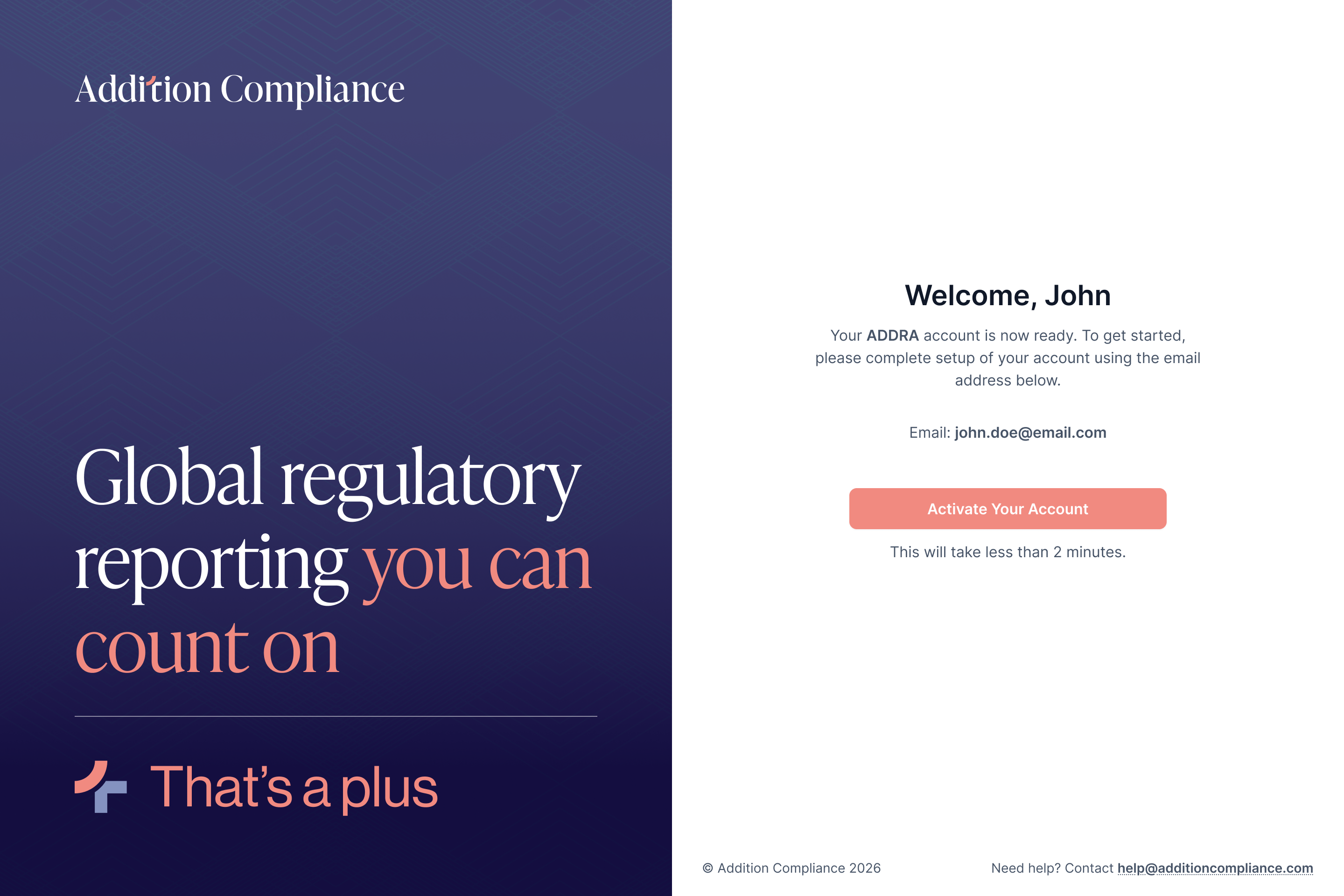
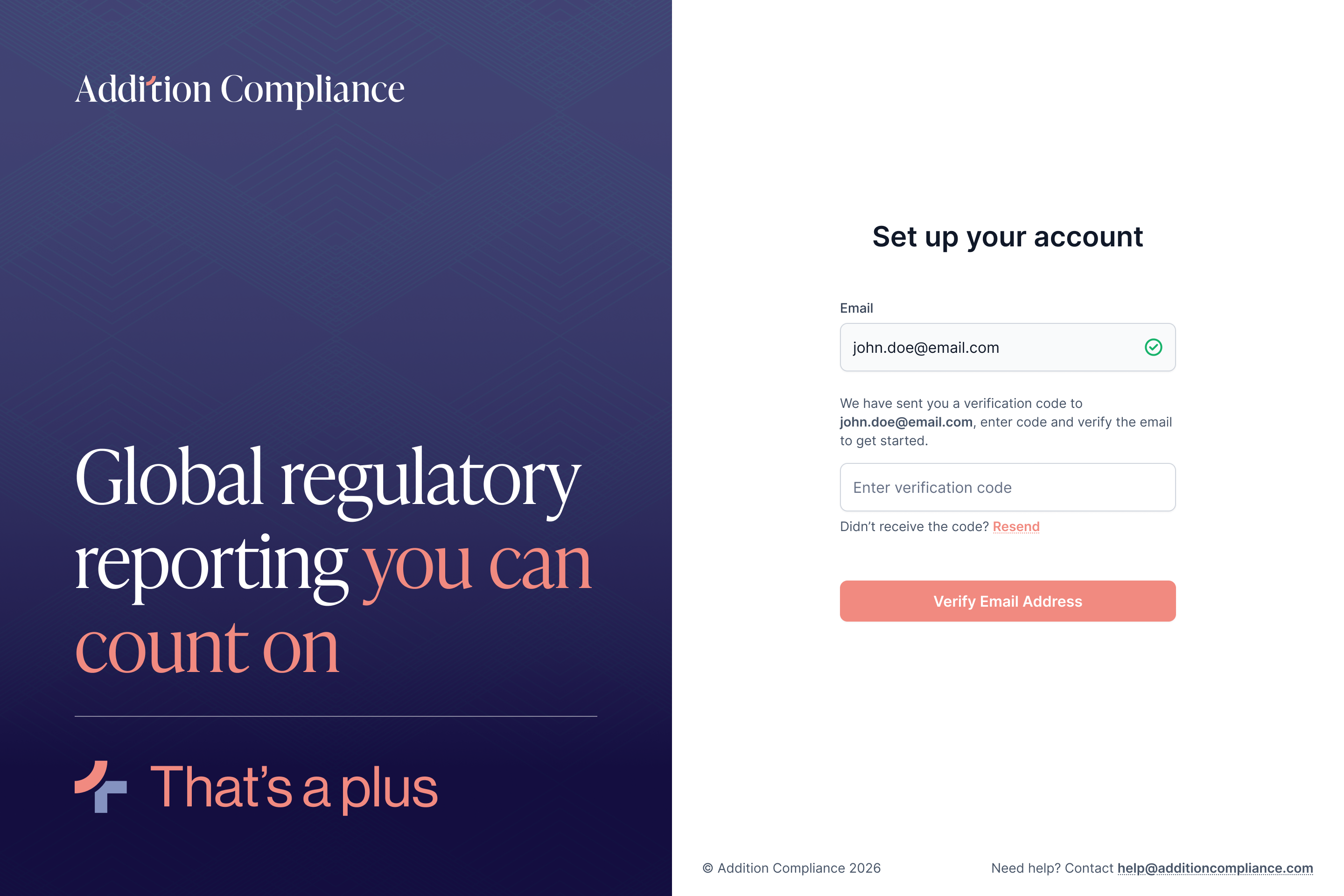
Step 2: Verify Your Email Address
Confirm your email address and complete the verification process.
Depending on your setup, verification may happen through:
- One-time password (OTP)
- Email verification link
This step helps secure your account before access is granted.
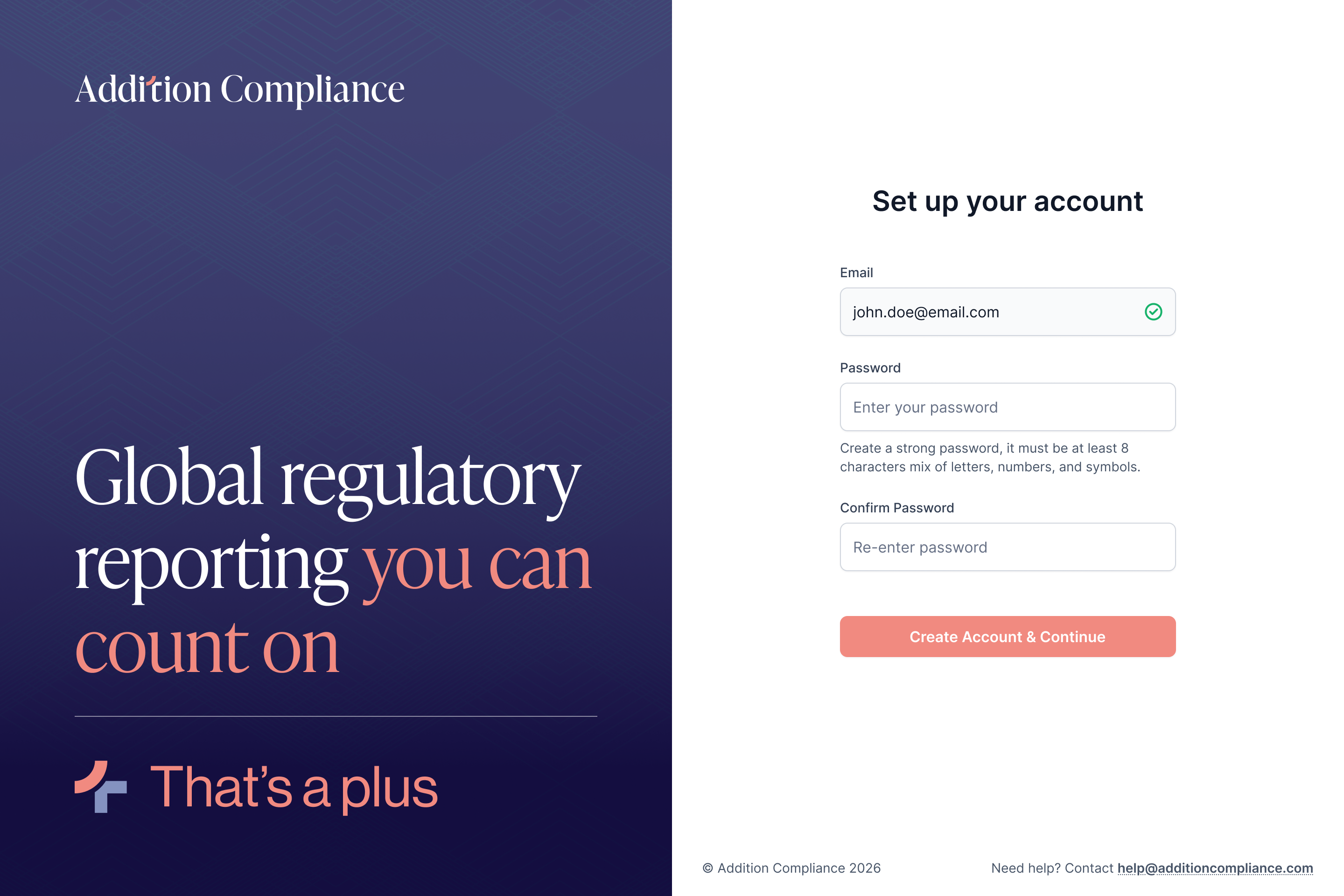
Step 3: Create Your Password
Create a secure password for your account.
Password Recommendations
- Use a strong password with a mix of:
- Uppercase and lowercase letters
- Numbers
- Special characters
- Avoid using easily guessable information
Once completed, confirm your password to continue.
Step 4: Log In to the Client Portal
After setup is complete:
- Enter your email address
- Use your newly created password
- Sign in to access the platform
Once logged in successfully, you’ll be redirected to your Dashboard.
Your Dashboard provides a centralized view of:
- Ongoing filings
- Upcoming deadlines
- Approval requests
- Compliance activity managed by Addition Compliance
- Keep your login credentials secure
- Use the same credentials for all future logins
- If you forget your password, use the Forgot Password option from the login page
- Do not share account credentials with unauthorized users
Next Steps
Now that your account is active, continue to the next guide to understand the Client Portal layout and available sections.